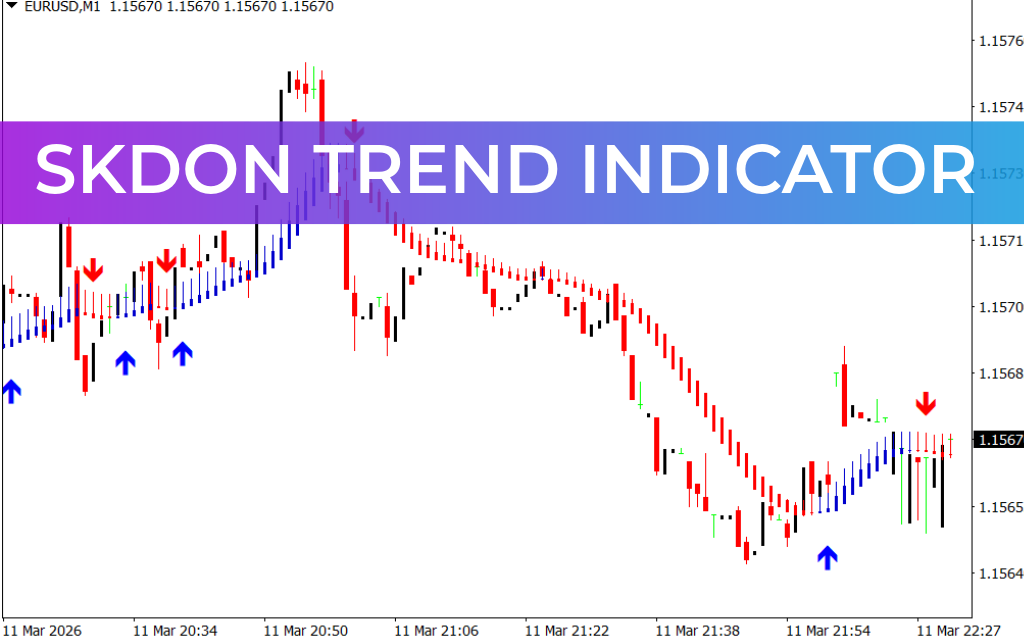
The SKdon Trend Indicator for MetaTrader 4 (MT4) is a powerful technical analysis tool designed to follow market price movements and identify potential trend reversals early. This indicator helps traders spot the beginning of a new trend and track it as it develops.
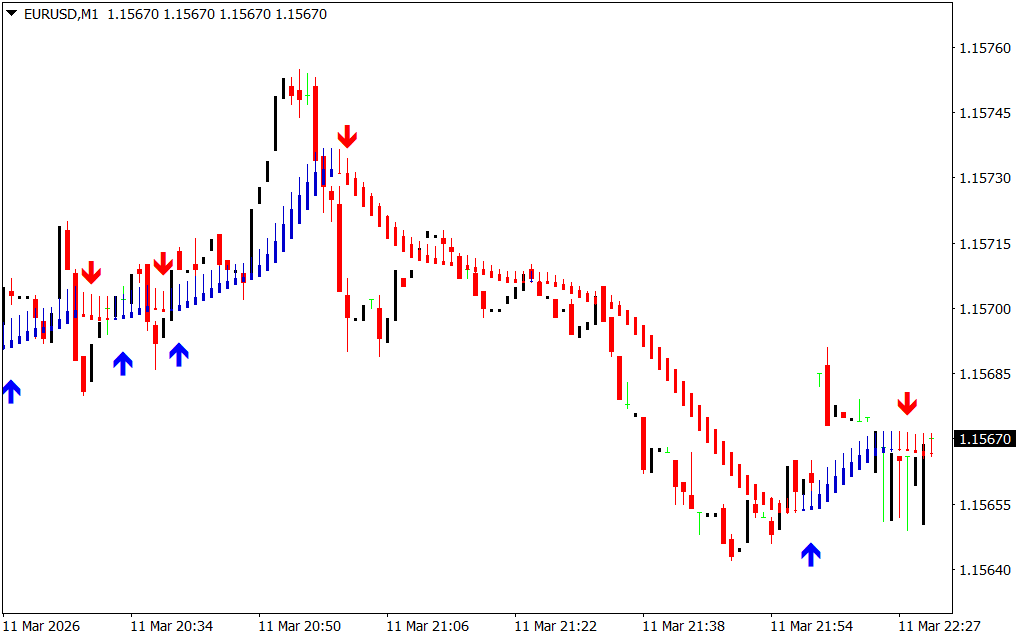
It works by first detecting a potential turning point in the market and displaying a BLUE or RED signal arrow. After the signal appears, the indicator continues to follow the trend by plotting colored bars on the chart, making it easier for traders to understand the market direction at a glance.
How the SKdon Trend Indicator Works
The SKdon Trend Indicator uses a simple visual system to highlight market momentum and trend direction.
- Blue Arrow – Indicates a potential bullish reversal and possible upward movement.
- Red Arrow – Indicates a potential bearish reversal and possible downward movement.
Once a trend begins, the indicator paints continuous colored bars to represent the ongoing market momentum:
- Blue Bars show potential bullish order flow.
- Red Bars show potential bearish order flow.
These bars remain on the chart as long as the trend continues, helping traders stay in profitable trades longer.
Key Features of the SKdon Trend Indicator
The SKdon Trend Indicator offers several advantages for traders:
- Detects potential trend reversals early
- Clear BUY and SELL signal arrows
- Visual Trend Confirmation using colored bars
- Suitable for beginners and experienced traders
- Works on any tradable asset
- Ideal for Scalping and intraday trading strategies
Because of its simple visual design, traders can quickly interpret market conditions without complicated analysis.
How to Trade Using the SKdon Trend Indicator
After installing the indicator on your MT4 trading platform, it will display arrows and colored bars directly on the chart.
BUY Signal
- Wait for the indicator to display a Blue Arrow.
- This suggests a potential upward movement.
- Confirm the signal using Price Action, such as a bullish reversal candlestick pattern (for example, a bullish Engulfing Pattern).
- Enter a BUY or LONG position once confirmation appears.
SELL Signal
- Wait for the indicator to display a Red Arrow.
- This suggests a potential downward movement.
- Confirm the signal with a bearish reversal candlestick pattern (such as a bearish engulfing pattern).
- Enter a SELL or SHORT position after confirmation.
Stop Loss and Take Profit Strategy
Stop Loss and Take Profit levels depend on each trader’s strategy and risk management rules.
However, many traders prefer to:
- Trail the Stop Loss once the trade moves into profit
- Exit the trade when the opposite signal appears
This method allows traders to maximize profits while protecting their capital.
Conclusion
The SKdon Trend Indicator for MT4 is a useful trading tool that helps traders detect trend reversals early and follow the market direction as it develops. With clear signal arrows and continuous trend bars, it simplifies market analysis and improves trading decisions.
Whether you are a beginner or an experienced trader, this indicator can help you identify high-probability trade opportunities and stay aligned with the market trend.
FAQ
Published:
Mar 11, 2026 17:32 PM
Category: