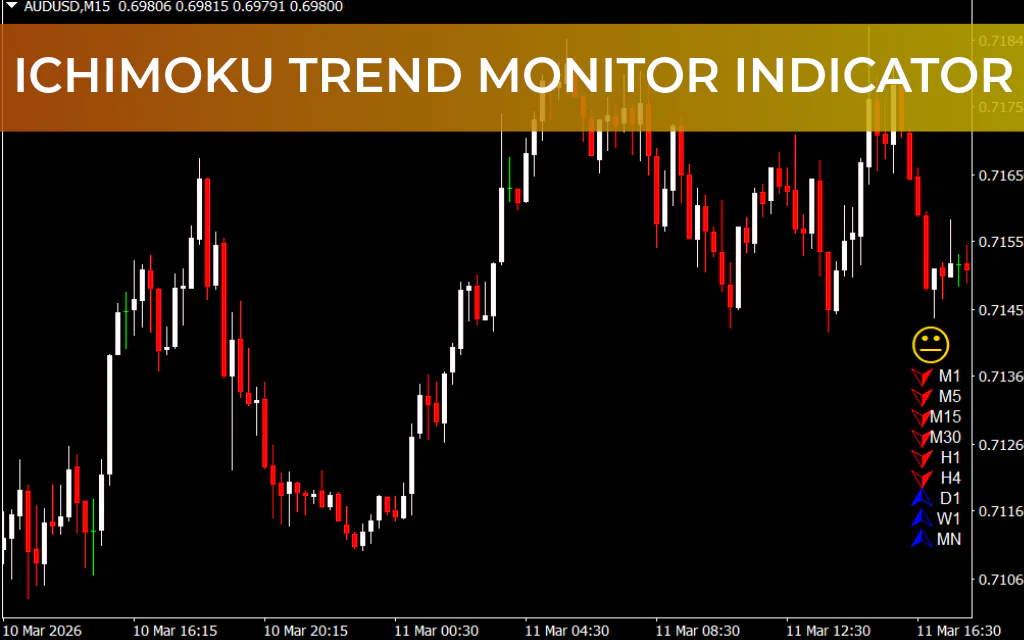
The Ichimoku Trend Monitor Indicator for MetaTrader 4 is a powerful trend-following tool that scans multiple timeframes and consolidates trend information onto a single chart. It’s designed for traders who want a clear visual overview of market trends without cluttering the chart.
Ideal for both novice and advanced traders, this indicator works well with Scalping, intraday, and swing trading strategies.
How the Ichimoku Trend Monitor Works
The indicator leverages the Ichimoku Kinko Hyo system to assess:
- Trend direction (uptrend, downtrend, or no clear trend)
- Market momentum
- Support And Resistance levels
- Overall bias across multiple timeframes
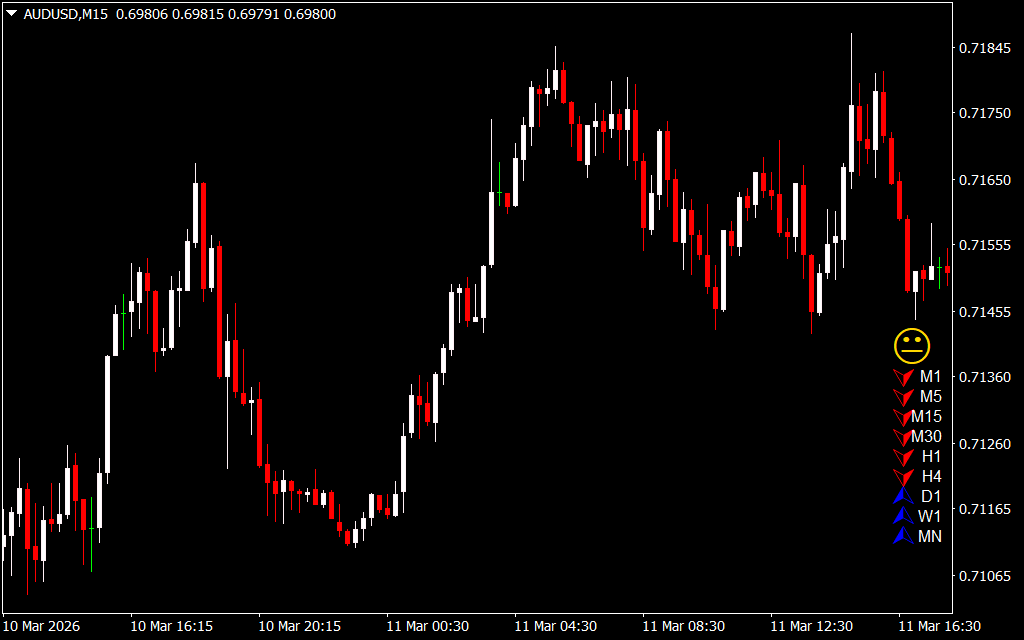
It displays three types of signals:
- Blue Arrow: Uptrend / Buy signal
- Red Arrow: Downtrend / Sell signal
- Yellow Sign: No clear trend / neutral
⚡ Signals from higher timeframes (H4, D1, W1) are more reliable due to their greater impact on Price Action.
The indicator is visually minimal, leaving your chart uncluttered while providing actionable trend insights.
How to Trade Using the Ichimoku Trend Monitor
- Identify the Trend: Check the arrows on the indicator for your chosen pair and timeframe.
- Blue = Uptrend
- Red = Downtrend
- Yellow = No trend
- Confirm with Your Strategy: Use the trend signals in combination with:
- Support/resistance levels
- Candlestick patterns
- Price action strategies
- Multi-Timeframe Analysis: Ensure trend alignment across multiple timeframes for higher confidence trades. For example, a BLUE arrow on H4 coinciding with a bullish bias on H1 improves trade probability.
- Trade Styles:
- Scalping / Short-Term: M5, M15, or M30 charts – confirm alignment across multiple timeframes
- Intraday / Swing Trading: H1, H4, D1 – more reliable Trend Confirmation
⚠️ Note: The indicator does not provide specific entry or exit points, so use it in conjunction with your trading plan.
Pros and Cons
✅ Pros
- Clear multi-timeframe trend visualization in one glance
- Works seamlessly with Ichimoku-based strategies
- Minimal chart clutter
- Compatible with scalping, intraday, and swing trading
❌ Cons
- No specific entry or exit points
- Slight lag on lower timeframes
- Limited customization for visual appearance
Conclusion
The Ichimoku Trend Monitor Indicator for MT4 is an excellent tool for traders who want a quick and reliable overview of market trends across multiple timeframes. It is lightweight, free to download, and integrates seamlessly with existing trading strategies, whether you rely on Ichimoku systems or basic price action analysis.
Frequently Asked Questions (FAQ)
- Can this work without the full Ichimoku Kinko Hyo system?
Yes. Trend signals alone provide valuable guidance, even if you use only support/resistance or candlestick patterns. - Which timeframes are best?
Works on all, but higher timeframes (H4, D1, W1) are more reliable. - Can it be used for scalping?
Yes, particularly M5 or M15, if combined with multi-timeframe alignment. - Installation:
Place the.ex4file in MT4’sIndicatorsfolder (MQL4 > Indicators), restart MT4, and apply to your chart.Download the Ichimoku Trend Monitor Indicator for MT4. Track multi-timeframe trends and get clear buy, sell, and neutral signals on one chart for forex trading.
FAQ
20 Downloads
Published:
Mar 15, 2026 11:14 AM
Category: