Technical analysts often rely on indicators and Price Action to determine the best entry and exit points in the market. However, many trading indicators require deep analysis and experience to interpret signals correctly. Identifying market reversals, continuations, or breakouts can be challenging, and even a small mistake may invalidate your trading analysis.
The Forex Entry Point Indicator for MetaTrader 4 (MT4) solves this problem by providing clear and straightforward trading signals. Unlike complex indicators filled with multiple lines and confusing colors, this tool keeps the chart clean and easy to read while automatically identifying potential trading opportunities.
What Is the Forex Entry Point Indicator?
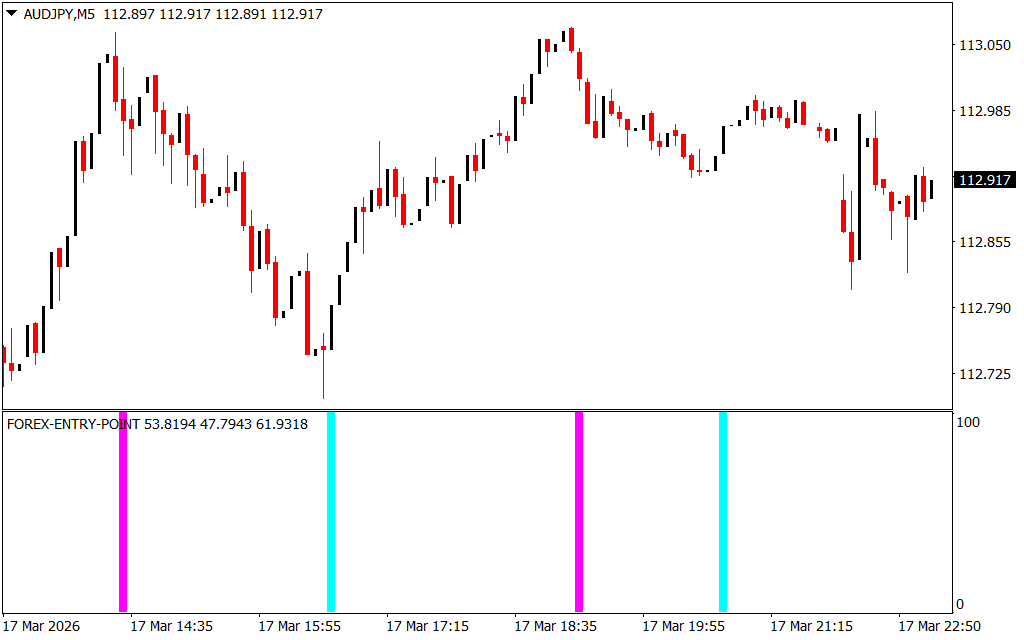
The Forex Entry Point Indicator is designed to predict potential price movements and highlight possible market reversals. Instead of cluttering the chart, it displays signals in a separate window below the price chart.
The indicator uses two vertical signal colors:
- Aqua (Turquoise) Line – Indicates a potential buy opportunity
- Magenta (Pink) Line – Indicates a potential sell opportunity
These signals help traders quickly identify potential entry points without performing complex technical analysis.
Key Features of the Forex Entry Point Indicator
- Works on all timeframes
- Compatible with all currency pairs
- Generates clear buy and sell signals
- Beginner-friendly with minimal chart clutter
- Can be combined with other trading strategies
The indicator is highly flexible. It can be used for Scalping on lower timeframes such as:
- 1-minute charts
- 5-minute charts
It also works effectively on higher timeframes, including:
- 1-hour charts
- 4-hour charts
- Daily charts
While the indicator works on most currency pairs, it often performs best in high-volatility pairs such as GBP/JPY.
Buy and Sell Signals Using the Forex Entry Point Indicator
The Forex Entry Point Indicator generates signals using two simple colors: aqua and magenta.
Buy Signal
A buy signal appears when:
- The indicator displays an aqua vertical line.
Trading steps:
- Wait for the current candle to close.
- Open a buy position.
- Exit the trade when the indicator shows a magenta line, signaling a possible reversal.
Sell Signal
A sell signal appears when:
- The indicator displays a magenta vertical line.
Trading steps:
- Wait for the candle to close for confirmation.
- Enter a sell position.
- Close the trade when an aqua line appears, indicating a possible price reversal.
Risk Management and Exit Strategy
While the indicator provides clear entry signals, traders should still use proper risk management. One common approach is the 1:3 risk-to-reward ratio, which helps maintain profitable trading over the long term.
Other exit methods include:
- Closing trades at Support And Resistance levels
- Using fixed stop-loss and take-profit levels
- Combining signals with additional technical indicators
Trading Example
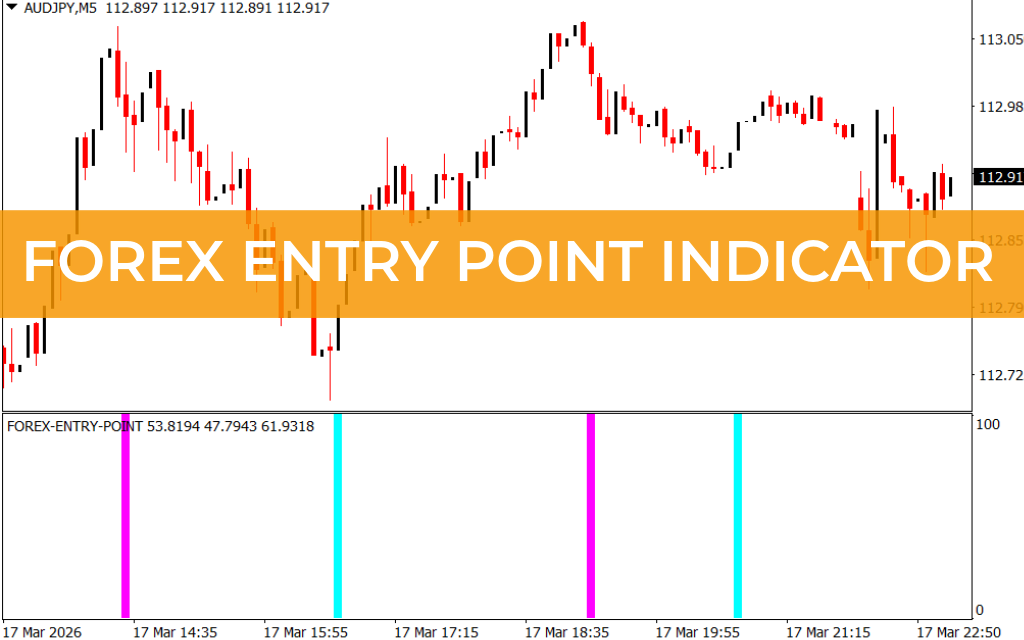
Using the Forex Entry Point Indicator is simple. When the indicator displays an aqua signal, the price often begins to move upward shortly afterward. Conversely, when a magenta signal appears, the price frequently declines.
By monitoring these signals and observing price action, traders can quickly identify potential trading opportunities and react accordingly.
Conclusion
The Forex Entry Point Indicator for MT4 is one of the easiest tools for identifying potential buy and sell opportunities in the forex market. Its clean design and color-based signals make it suitable for both beginner and experienced traders.
Although the indicator works well on its own, combining it with other technical analysis tools—such as trend indicators or support and resistance levels—can significantly improve trading accuracy and overall performance.
FAQ
11 Downloads
Published:
Mar 17, 2026 18:14 PM
Category: