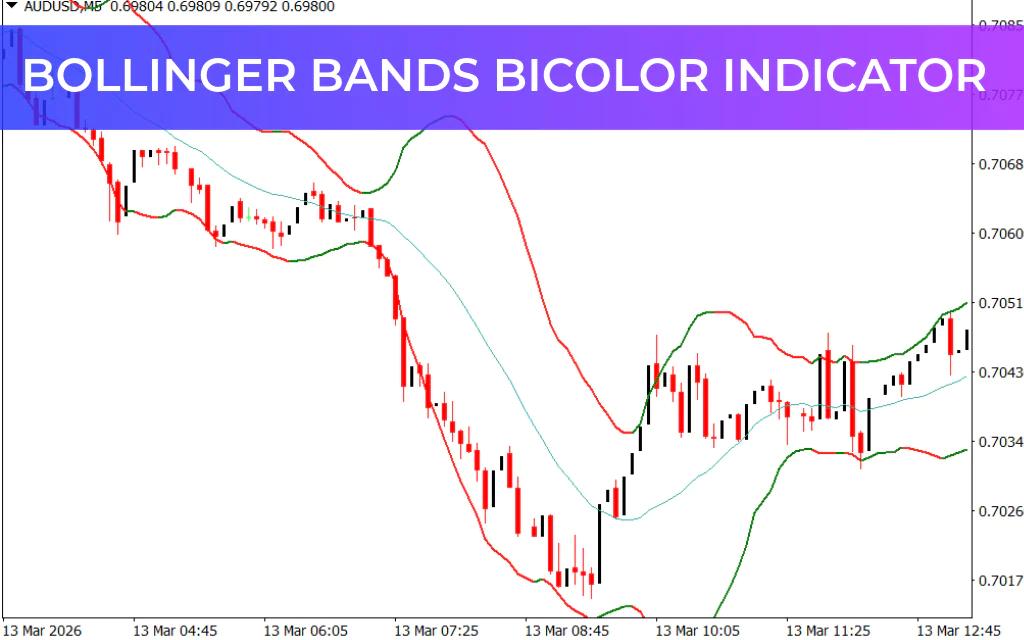
The Bollinger Bands Bicolor Indicator for MT4 is a powerful forex trading tool designed to help traders monitor market volatility, trends, breakouts, and price bounces. It is an enhanced version of the traditional Bollinger Bands that adds color signals to make trading decisions faster and easier.
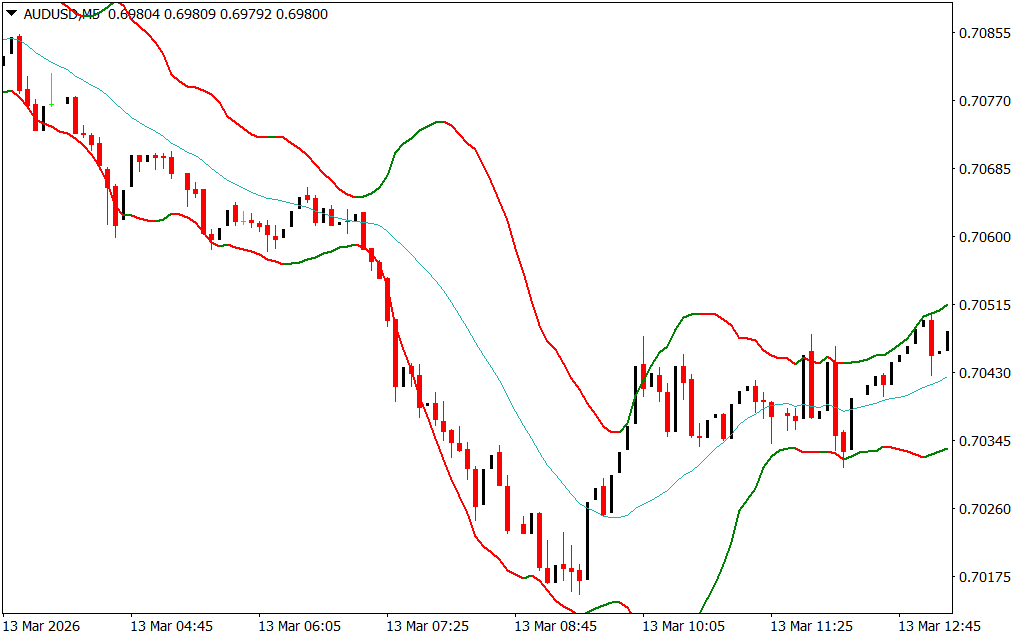
This indicator visually displays market conditions by changing the color of the bands based on bullish or bearish sentiment, allowing traders to quickly identify potential buy and sell opportunities.
Because of its simplicity and accuracy, the Bollinger Bands Bicolor Indicator is suitable for both beginner and professional forex traders.
What Is the Bollinger Bands Bicolor Indicator?
The Bollinger Bands Bicolor Indicator is based on the classic Bollinger Bands concept, which uses standard deviation to measure market volatility.
The indicator consists of three main components:
- Middle Moving Average – represents the average price
- Upper Band – shows potential overbought levels
- Lower Band – shows potential oversold levels
As market volatility increases, the bands expand, and when volatility decreases, the bands contract.
The bicolor version improves readability by changing the band colors depending on market direction.
How the Indicator Displays Market Conditions
The Bollinger Bands Bicolor Indicator appears directly on the main MT4 chart window and shows different market conditions that traders can either trade or avoid.
High Volatility
When the market becomes highly volatile, the upper and lower bands expand significantly, signaling strong price movement.
Low Volatility
During periods of low volatility, the bands narrow, indicating that the market is consolidating and preparing for a potential breakout.
By observing these changes, traders can determine the best times to enter or exit trades.
Color Signals Explained
One of the most useful features of this indicator is its color-based signal system.
- Green Bands – indicate bullish market conditions
- Red Bands – indicate bearish market conditions
- Light Sea Green Moving Average – acts as the Trend Confirmation line
Buy Signal
A BUY signal occurs when:
- Price closes above the moving average, and
- The upper and lower bands turn green
Sell Signal
A SELL signal occurs when:
- Price closes below the moving average, and
- The upper and lower bands turn red
These visual signals make it easier to identify trading opportunities without complex analysis.
How to Trade with the Bollinger Bands Bicolor Indicator
The Bollinger Bands Bicolor Indicator can be used in several trading strategies, including:
- Trend trading
- Range trading
- Breakout strategies
- Bounce trading
Because of its flexibility, it is suitable for multiple trading styles such as:
- Day trading
- Intraday trading
- Swing trading
Example Trading Setup
Consider a EUR/USD pair on the H4 timeframe.
Bullish Setup (Buy Trade)
- Wait for a bullish candle to open and close above the moving average.
- Confirm that the bands turn green.
- Enter a long position.
Bearish Setup (Sell Trade)
- Wait for a bearish candle to open and close below the moving average.
- Confirm that the bands turn red.
- Enter a short position.
These setups increase the probability of entering trades in the direction of the prevailing trend.
Key Benefits of the Bollinger Bands Bicolor Indicator
- Easy-to-understand color-based signals
- Helps detect market volatility
- Works in trending and ranging markets
- Suitable for all timeframes
- Ideal for beginner and professional traders
- Helps identify entry and exit points
Final Thoughts
The Bollinger Bands Bicolor Indicator for MT4 is a simple yet effective tool for identifying high-probability trading opportunities. By combining volatility analysis with color-coded signals, the indicator helps traders quickly recognize market trends and potential reversals.
While the indicator can be used on its own, combining it with Price Action analysis or other technical indicators can improve trading accuracy even further.
Since the indicator is free to download and easy to use, it is definitely
FAQ
Last Update:
Mar 15, 2026 09:07 AM
Published:
Mar 15, 2026 09:01 AM
Category: