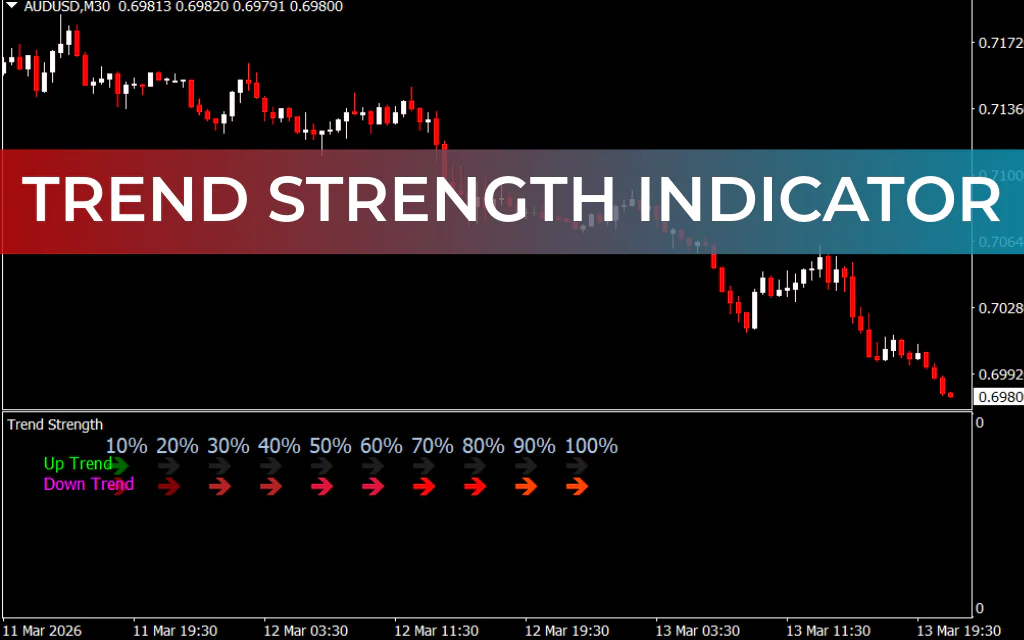
The Trend Strength Indicator for MT4 is a powerful momentum-based trading tool designed to help Forex traders identify the strength and direction of market trends. Understanding whether a trend is strong or weak is essential for making better trading decisions, and this indicator simplifies that process by displaying trend momentum in clear percentage values.
Many traders—especially technical analysts—often struggle to determine whether a trend is gaining strength or losing momentum. Without this insight, entering or exiting trades at the right time becomes difficult. The Trend Strength Indicator solves this problem by automatically analyzing price movement and presenting the trend’s momentum in an easy-to-read format.
With this tool, traders can quickly determine whether the market is trending upward, downward, or moving sideways. By providing a clear view of the market’s bias, the indicator helps traders confidently decide when to open a trade, hold a position, or exit the market.
How the Trend Strength Indicator Works
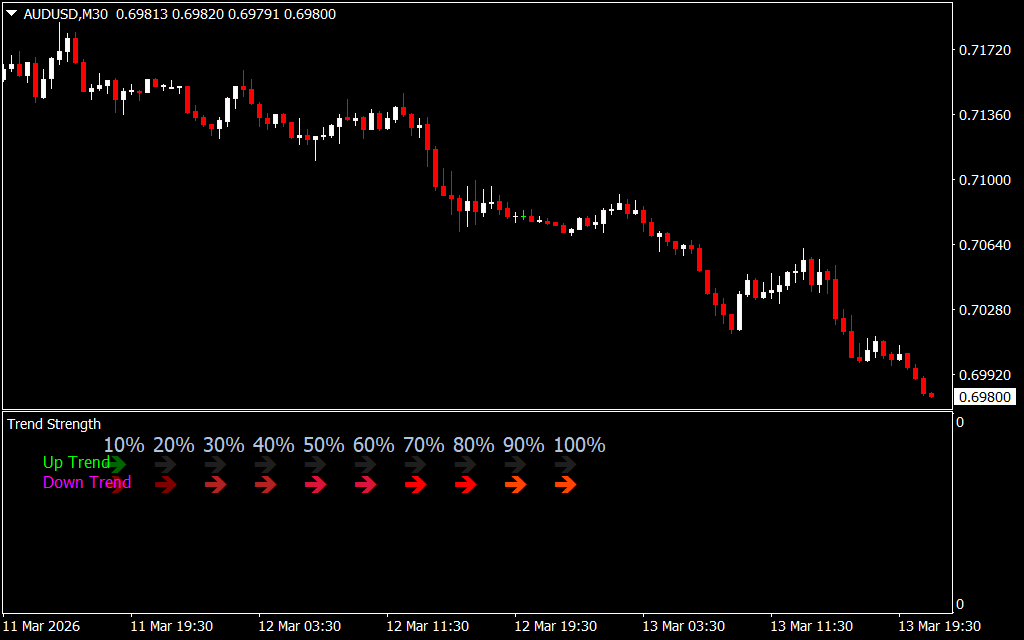
The Trend Strength Indicator is a trend-following indicator that measures market momentum and displays it as a percentage ranging from 10% to 100%. The higher the percentage, the stronger the trend.
The indicator also uses color-coded arrows to visually signal potential trend movements:
- Green arrows indicate an uptrend, which is considered a BUY or LONG signal.
- Red arrows indicate a downtrend, which signals a SELL or SHORT opportunity.
By default, the indicator begins displaying arrows when the trend strength reaches 10%, signaling the possible start of a new trend. As the trend grows stronger, additional arrows appear with updated percentage values to reflect increasing momentum.
This visual representation allows traders to quickly evaluate the strength of a trend without performing complex technical analysis manually.
How to Trade with the Trend Strength Indicator for MT4
Using the Trend Strength Indicator is simple and beginner-friendly. After installing it on your MT4 platform, follow these basic trading guidelines:
1. Identify the Trend Direction
Look for the arrow signals on the chart:
- Green arrows suggest bullish momentum and potential buying opportunities.
- Red arrows suggest bearish momentum and potential selling opportunities.
2. Check the Trend Strength Percentage
The percentage value shows how strong the trend is.
Higher percentages indicate stronger momentum and a greater probability that the trend may continue.
3. Combine with Other Indicators
Although powerful on its own, the Trend Strength Indicator works even better when combined with other technical tools such as:
- Moving Averages
- Support And Resistance
- RSI or MACD
This confluence can help confirm trading signals and improve accuracy.
4. Detect Ranging Markets
If the indicator shows weak percentage values and frequent signal changes, the market may be ranging or consolidating. During such conditions, traders may avoid trend trades or switch to range strategies.
Why Traders Use the Trend Strength Indicator
This indicator is useful for all types of traders, including:
- Beginner Forex traders
- Intraday traders
- Swing traders
- Experienced technical analysts
It helps traders quickly assess whether a trend is strong enough to trade and provides confidence when holding positions during strong market momentum.
Because the indicator performs the complex calculations in the background, traders only need to interpret the displayed signals and percentages.
Conclusion
The Trend Strength Indicator for MT4 is a valuable tool for traders who want to monitor market momentum effortlessly. By displaying trend strength in percentage form and highlighting buy and sell signals with arrows, it makes trend analysis simple and intuitive.
Whether you are a beginner or an experienced trader, this indicator can help you better understand market conditions, improve timing, and make more confident trading decisions. Best of all, it is lightweight, easy to install, and completely free to download.
FAQ
6 Downloads
Published:
Mar 14, 2026 19:06 PM
Category: