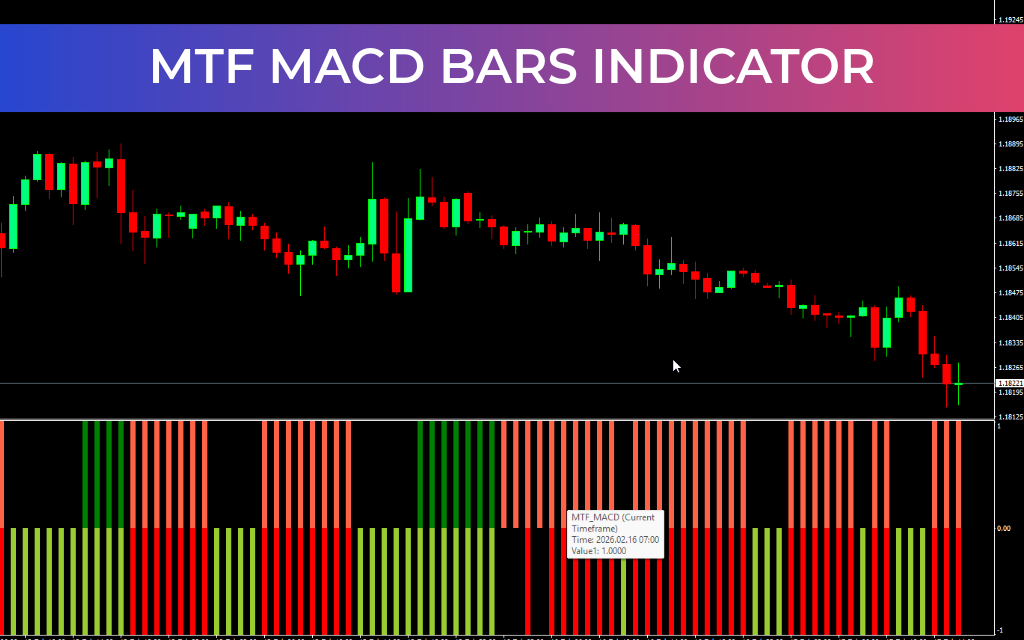
The MTF MACD Bars Indicator is an advanced MetaTrader trading tool that enhances the traditional Moving Average Convergence and Divergence (MACD) indicator by displaying MACD data from multiple timeframes within a single chart window. Widely trusted by forex, stock, and multi-asset traders, MACD is known for its reliability in identifying trend direction, momentum, and potential reversals.
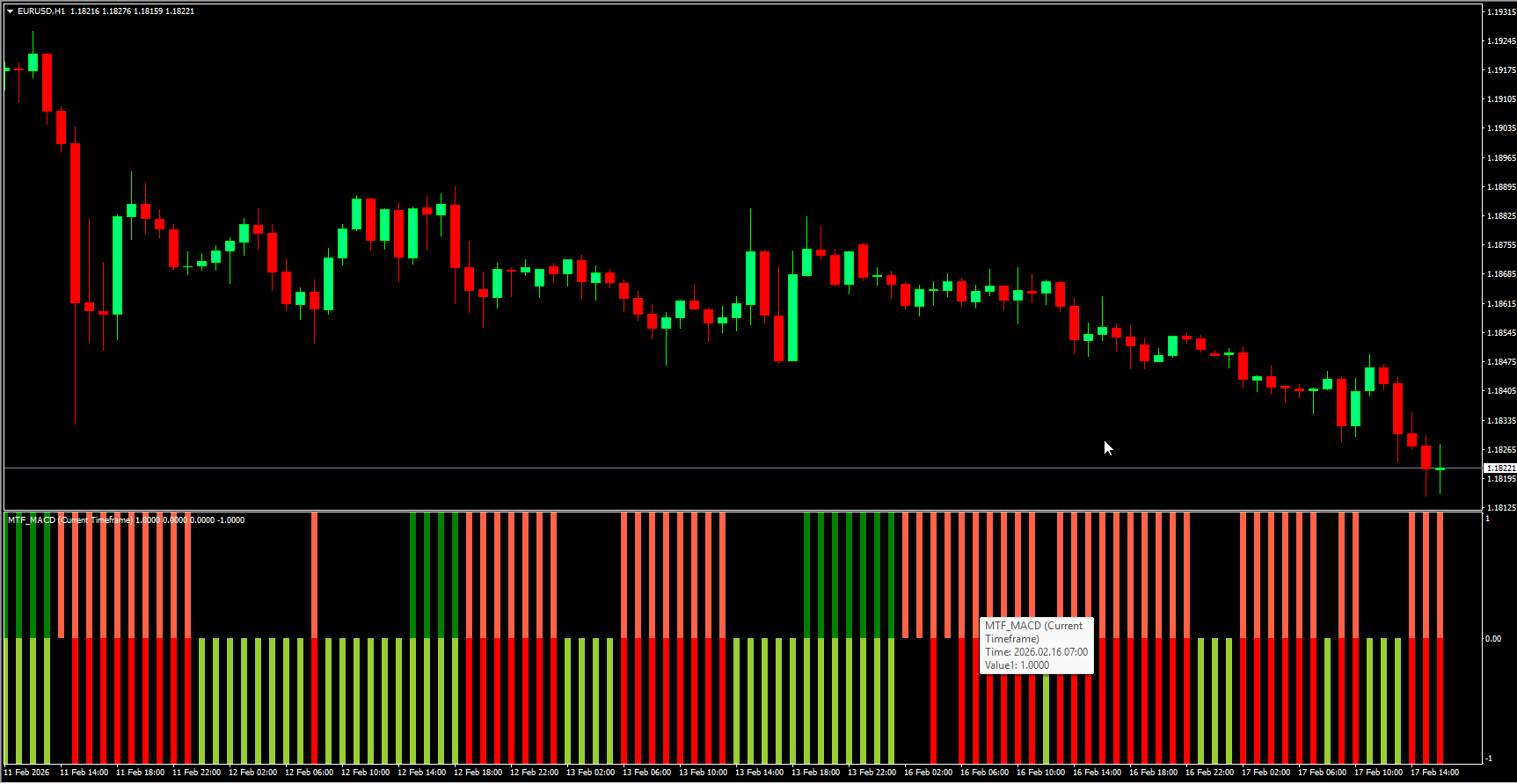
This multi-timeframe version gives traders a clearer and more comprehensive view of market conditions by allowing them to monitor both current and higher (or lower) timeframe MACD signals simultaneously. As a result, traders can better understand the overall market trend while timing precise entries and exits with confidence.
Trading Signals
The MTF MACD Bars Indicator uses color-coded histogram bars to visually represent market momentum and signal trading opportunities:
BUY Conditions
Enter a BUY trade when the lower segment bars turn Yellow Green
Hold the position if the upper segment bars turn Green, confirming bullish momentum
SELL Conditions
Enter a SELL trade when the upper segment bars turn Tomato Red
Hold the position if the lower segment bars turn Red, confirming bearish strength
Exit Rules
Exit BUY trades when the bar color changes from Yellow Green or Green to Red
Exit SELL trades when the bar color changes from Tomato Red or Red to Yellow Green
These color transitions help traders manage positions efficiently and respond quickly to momentum shifts.
Trading with Higher Timeframe Confirmation
Professional trend traders often rely on higher timeframes to identify the dominant market direction while using lower timeframes to pinpoint entry opportunities. The MTF MACD Bars Indicator makes this process simple by displaying MACD signals from multiple timeframes in one indicator window.
For example:
A higher timeframe (such as Daily) identifies the major trend
A lower timeframe (such as H4) provides entry signals within that trend
By combining these perspectives, traders can align their trades with the dominant market direction and avoid counter-trend entries.
Advantages
Multi-timeframe Trend Confirmation in one chart
Clear color-coded signals for easy interpretation
Improved entry timing and trade management
Stronger trend alignment for higher probability trades
Suitable for both beginner and advanced traders
Summary
The MTF MACD Bars Indicator is a powerful upgrade to the traditional MACD, offering enhanced trend clarity through multi-timeframe analysis. By combining higher timeframe direction with precise entry signals, traders can significantly improve signal quality and trading consistency. It is an essential tool for anyone seeking more accurate trend confirmation and smarter trading decisions.
FAQ
3 Downloads
Last Update:
Feb 18, 2026 10:27 AM
Published:
Feb 17, 2026 09:57 AM
Category: