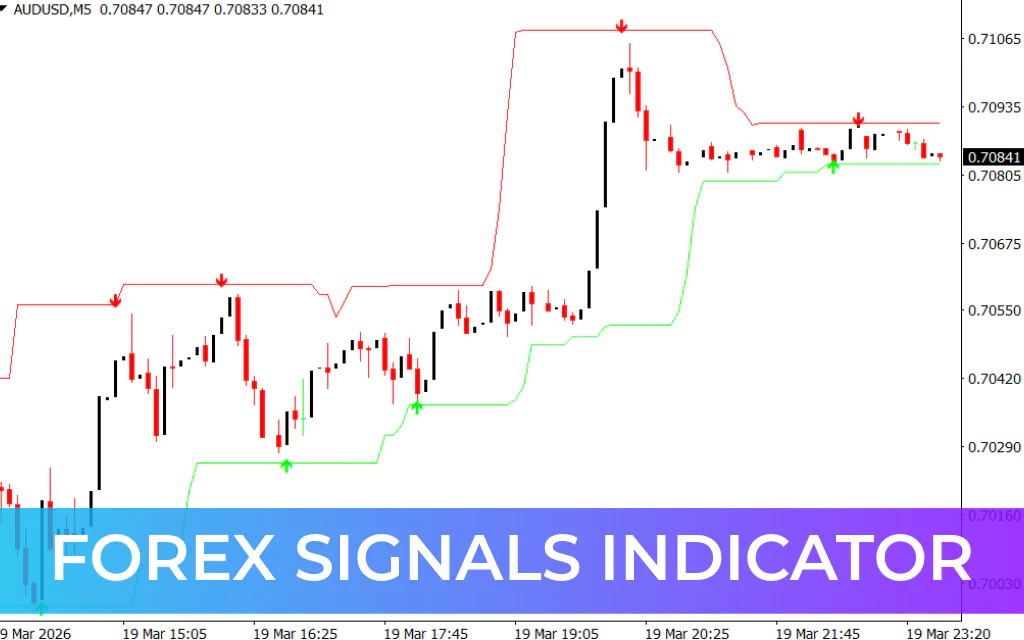
The Forex Signals Indicator for MT4 is a straightforward trading tool designed for quick decision-making. It is ideal for Scalping and short-term trades, providing clear buy and sell signals along with stop-loss and take-profit levels. The indicator works well on lower timeframes but can be applied to any trading instrument, including forex pairs, commodities, and indices.
How the Forex Signals Indicator Works
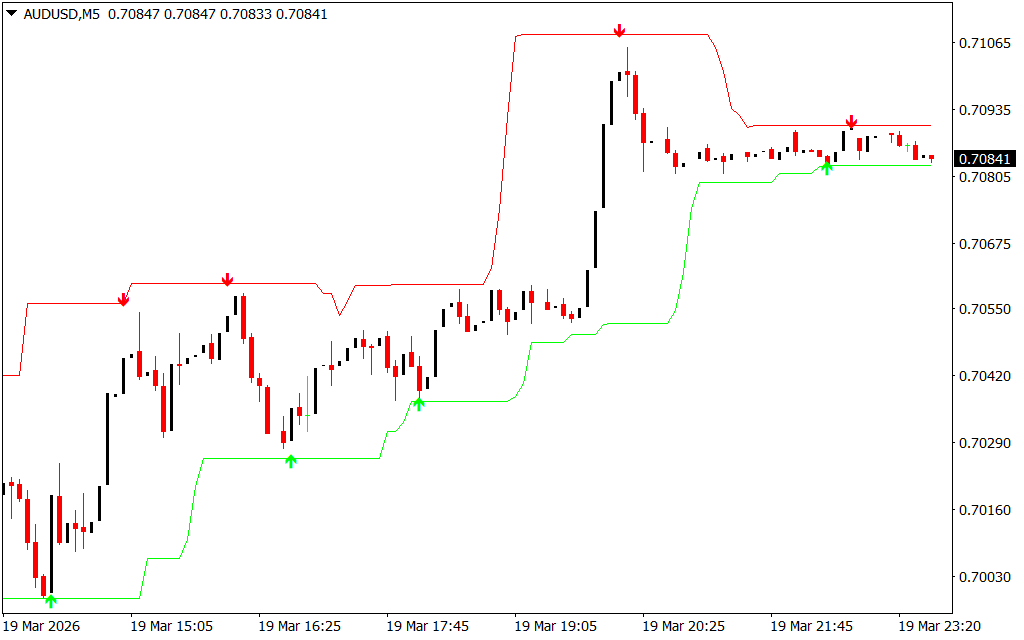
The indicator simplifies trading by combining directional arrows with a price channel:
- Green Arrow (Buy Signal):
- Indicates a potential long position.
- Place a stop loss just below the green channel line.
- Set the take profit at the red line above.
- Red Arrow (Sell Signal):
- Indicates a potential short position.
- Place a stop loss just above the red channel line.
- Set the take profit at the green line below.
The channel provides a visual reference for market range, helping traders determine entry, exit, and stop-loss levels effectively.
Trading Example
In a US Dollar / Swiss Franc (USD/CHF) chart:
- A green arrow appeared, signaling a long trade. The price moved upward within the channel, and the red line marked the profit target.
- A red arrow later appeared, signaling a short trade. The price declined, with the green line marking the take-profit zone.
This makes it easy to identify market direction and trade with confidence.
Key Benefits
- Simple to Use: Just follow the arrows and channel.
- Clear Entry and Exit Levels: Stop-loss and take-profit lines are automatically drawn.
- Suitable for Scalping: Works best on lower timeframes but can be applied to higher timeframes.
- Versatile: Can trade forex, commodities, indices, and other instruments.
Conclusion
The Forex Signals Indicator for MT4 is a reliable tool for traders seeking easy-to-read buy and sell signals. Green arrows signal buying opportunities, while red arrows indicate shorting opportunities. The built-in channel ensures clear stop-loss and take-profit levels, making it ideal for scalpers and short-term traders.
FAQ
6 Downloads
Published:
Mar 19, 2026 18:42 PM
Category: