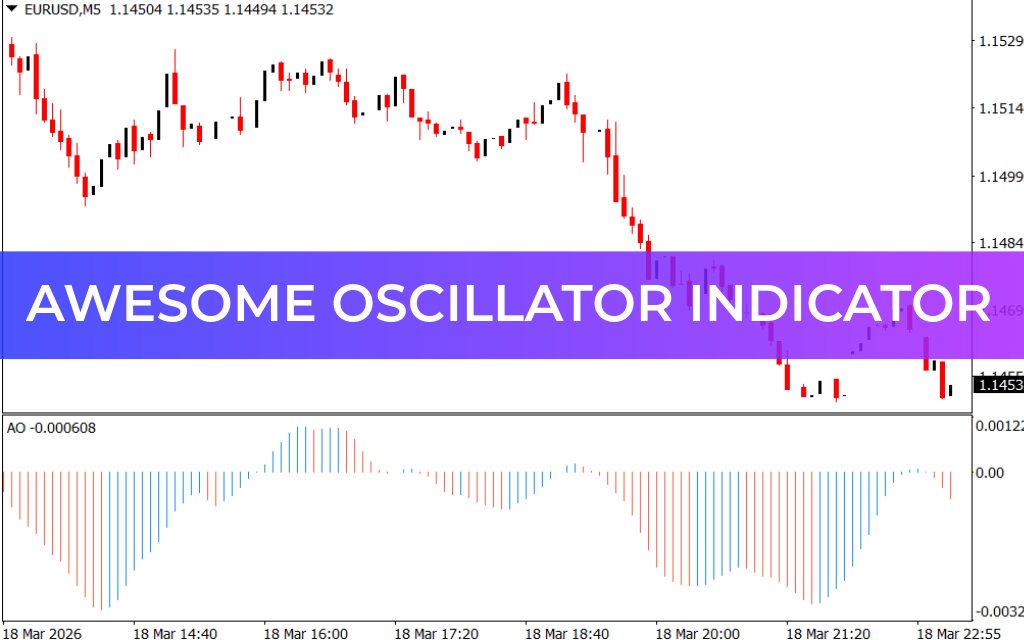
The Awesome Oscillator (AO) Indicator for MetaTrader 4 (MT4) is a powerful momentum-based technical indicator that helps traders analyze market momentum, Trend Strength, and potential trend reversals. It evaluates Price Action by comparing recent market momentum with historical momentum, allowing traders to identify shifts in market direction.
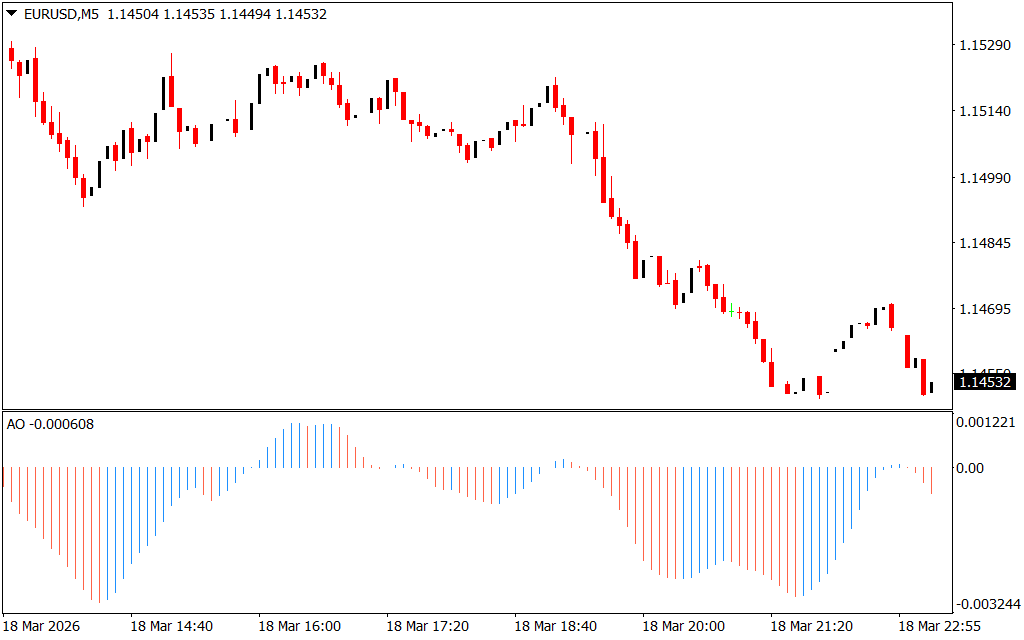
The indicator is widely used by forex and stock traders because it provides a clear visual representation of momentum through colored histogram bars. These bars make it easy to recognize whether the market is gaining strength or losing momentum.
Apart from identifying potential entry points, the Awesome Oscillator is also useful for determining optimal trade exit points by showing when momentum begins to weaken.
How the Awesome Oscillator Works
The Awesome Oscillator displays histogram bars that fluctuate above and below a zero line. These bars represent the strength of market momentum.
- Blue Bars Above Zero – Indicate strong bullish momentum.
- Red Bars Above Zero – Show weakening bullish momentum and a possible bearish shift.
- Red Bars Below Zero – Confirm bearish momentum.
- Blue Bars Below Zero – Suggest that bearish momentum may be weakening.
By observing the color and size of these histogram bars, traders can quickly assess whether the market is strengthening, weakening, or preparing for a reversal.
Buy Signal Using the Awesome Oscillator
To identify a potential buy opportunity, traders should look for confirmation from both price action and the indicator.
Steps for a Buy Setup:
- Wait for the Awesome Oscillator value to move above the zero line.
- Ensure the histogram bars turn blue, indicating bullish momentum.
- Look for a bullish price breakout or bullish price pattern on the chart.
- Enter a buy trade once both the indicator and price action confirm the bullish move.
- Hold the position while the bars continue rising and remain blue.
When the histogram bars begin to shorten and turn red, it suggests that bullish momentum is weakening.
- Aggressive traders may exit the trade early.
- Conservative traders may wait until the oscillator moves below the zero line before closing the position.
Sell Signal Using the Awesome Oscillator
A sell opportunity occurs when the market shows strong bearish momentum.
Steps for a Sell Setup:
- Wait for the Awesome Oscillator bars to drop below the zero line.
- Confirm that the bars appear red, indicating strong selling momentum.
- Look for a bearish reversal pattern, such as:
- Bearish breakout
- Bearish inside bar break
- Rejection at a key resistance level
- Enter a sell trade after confirmation from both the indicator and price action.
For trade exits, monitor the histogram bars. When they start turning blue and rising, it indicates that bearish momentum may be weakening and the trend could reverse.
Advantages of the Awesome Oscillator
- Simple and easy-to-read histogram display
- Helps identify market momentum and trend strength
- Effective for trend-following strategies
- Useful for both entry and exit signals
- Works well for forex, stocks, and indices
Important Trading Tip
The accuracy of the Awesome Oscillator depends heavily on market volatility. During sideways or choppy markets, momentum indicators may produce false signals.
For better accuracy, combine the Awesome Oscillator with other technical analysis tools such as:
- Support And Resistance Levels
- Trendlines
- Moving Averages
- Price Action Patterns
Using multiple indicators together helps confirm signals and improves overall trading decisions.
Conclusion
The Awesome Oscillator Indicator for MT4 is a reliable tool for measuring market momentum and spotting potential trend reversals. Its colored histogram bars provide traders with a quick and clear understanding of whether bullish or bearish momentum is strengthening or weakening.
However, like most momentum indicators, it works best when used alongside other technical analysis tools to confirm trading signals and avoid false entries.
FAQ
Published:
Mar 18, 2026 18:20 PM
Category: