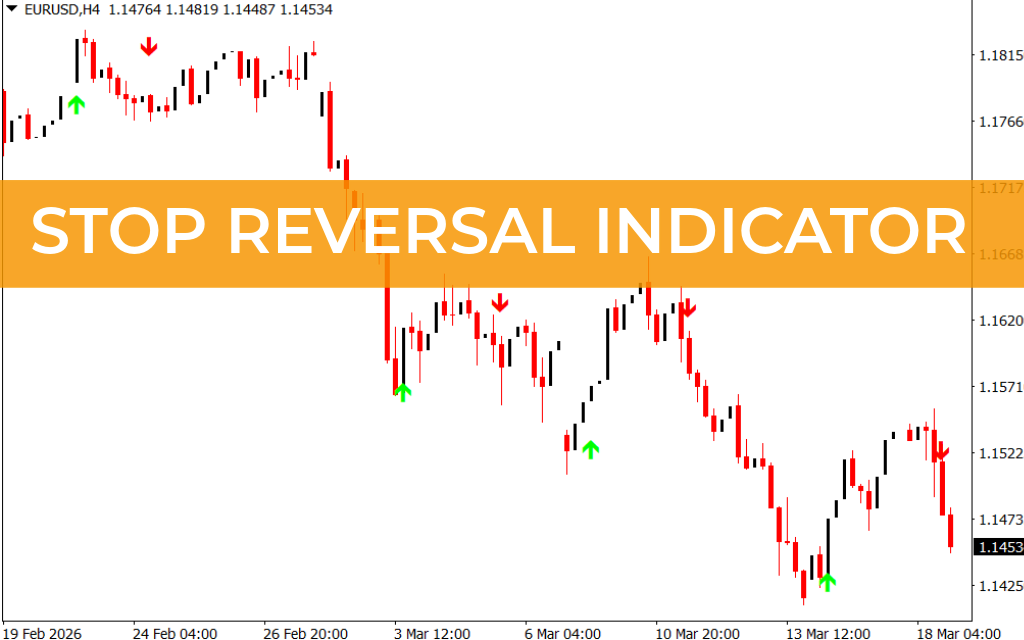
The Stop Reversal Indicator for MT4 is a straightforward trading tool that provides clear BUY and SELL arrow signals based on market trend reversals. The indicator identifies bullish and bearish market conditions and displays them directly on the chart using colored arrows.
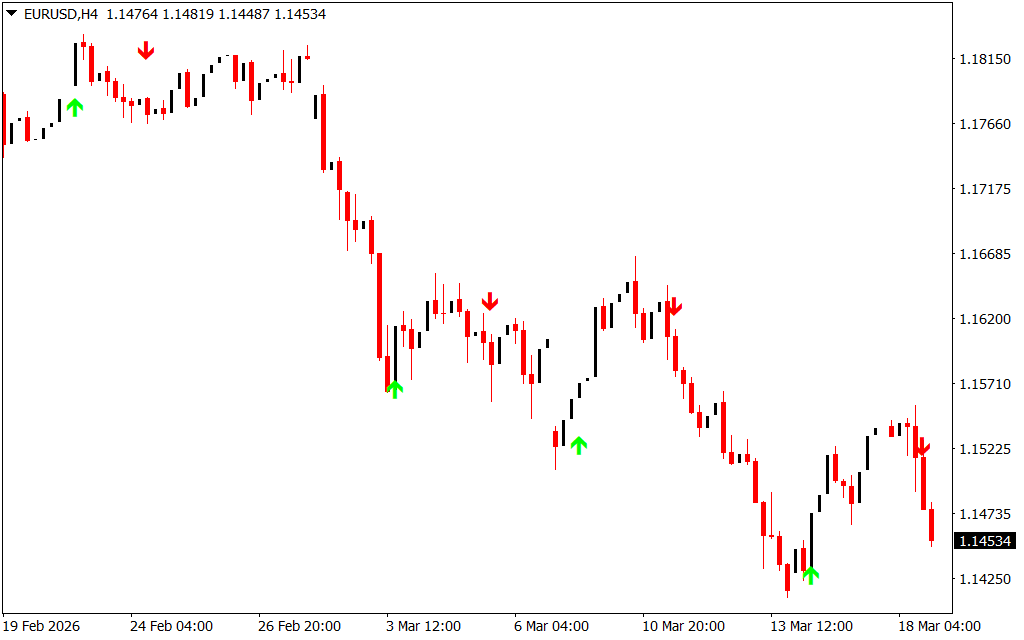
A blue or green arrow signals a potential bullish trend, while a red arrow indicates a bearish trend. These visual signals make it easy for traders to quickly identify possible trade opportunities.
Because of its simplicity, the Stop Reversal Indicator is especially helpful for beginner forex traders. At the same time, experienced traders can combine it with other technical tools to improve the accuracy of their strategies.
How the Stop Reversal Indicator Works
The indicator scans price movements and detects potential trend reversals. When a new trend begins, it displays an arrow on the chart to indicate the direction of the market.
- Green/Blue Arrow: Signals the start of a bullish trend.
- Red Arrow: Signals the start of a bearish trend.
These arrows allow traders to quickly spot entry opportunities without complex analysis.
The indicator works effectively across multiple chart types, including:
- Intraday charts
- Daily charts
- Weekly charts
- Monthly charts
This flexibility makes it suitable for scalpers, day traders, and swing traders.
Stop Reversal Indicator Trading Signals
The indicator displays arrows on the chart whenever a potential Trend Reversal occurs. Traders can use these signals to enter or exit trades based on market direction.
Buy Setup
- Wait for the indicator to display a green or blue arrow.
- This indicates the start of a bullish market trend.
- Enter a buy trade after the signal appears.
- Place a stop-loss below the previous swing low.
- Exit the trade when the opposite (red) arrow appears or after reaching a favorable risk-to-reward ratio.
Sell Setup
- Wait for the indicator to display a red arrow.
- This indicates the start of a bearish trend.
- Enter a sell trade once the signal appears.
- Place a stop-loss above the previous swing high.
- Exit the trade when the opposite (green/blue) arrow appears or when the profit target is reached.
Multi-Timeframe Trading Strategy
The Stop Reversal Indicator can also be used in multi-timeframe trading strategies for better accuracy.
A common approach is:
- Analyze the market trend on a higher timeframe such as the Daily or H4 chart.
- Use a lower timeframe like H1 or M30 to find precise entry points.
Higher timeframe trends often last longer and provide more reliable trading signals. Using this top-down approach helps traders align their trades with the overall market direction.
Conclusion
The Stop Reversal Indicator for MT4 is an easy-to-use tool that helps traders identify bullish and bearish trend reversals using simple arrow signals. Its clear visual signals make it particularly useful for beginners who want a straightforward trading approach.
For improved results, traders should combine the indicator with Support And Resistance levels, price action analysis, or other technical indicators. When used correctly, the Stop Reversal Indicator can help traders identify reliable trading opportunities and manage trades more effectively.
FAQ
9 Downloads
Published:
Mar 18, 2026 18:40 PM
Category: