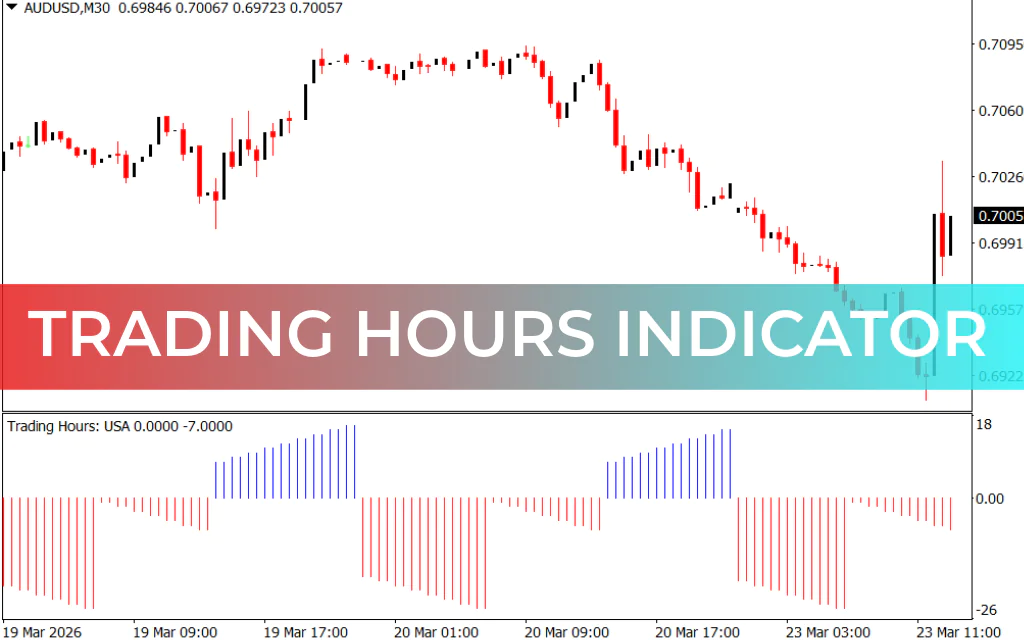
The Trading Hours Indicator for MT4 is a simple and practical forex tool that helps traders identify which forex session is currently active. By visualizing market sessions on your chart, it allows traders to plan strategies around volatility patterns throughout the day.
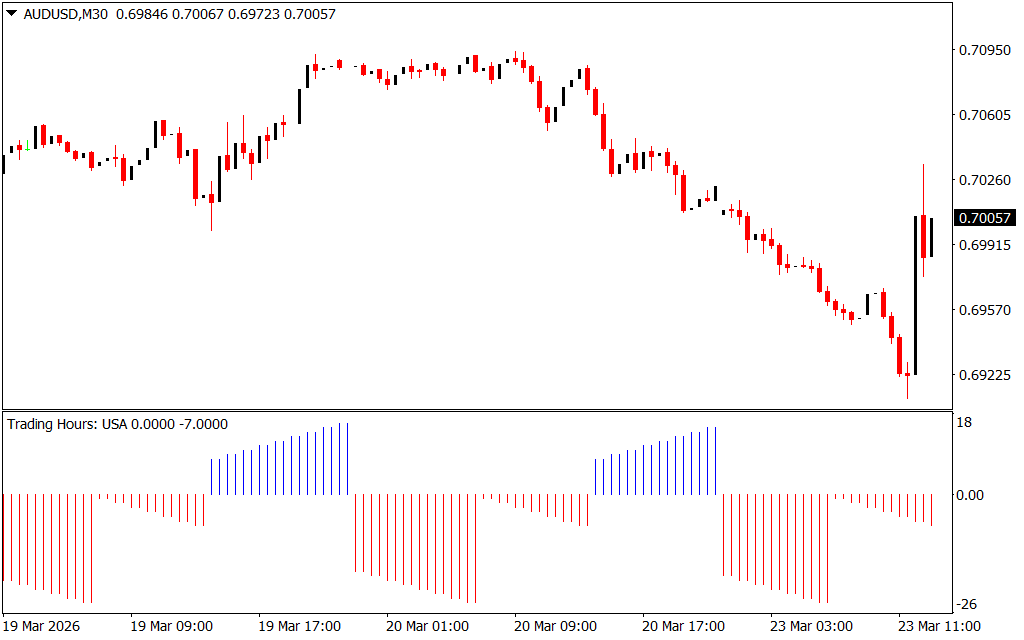
When added to an MT4 chart, the indicator displays a red-blue histogram below the price bars, showing the progression of time and the start of major trading sessions.
How to Read the Trading Hours Indicator
The indicator uses a histogram format:
- Zero value: Marks the start of the trading day
- Bar increase: Adds one unit per hour as time progresses
- Color changes:
- Blue histogram → European session start
- Red histogram → U.S. session start
This visual cue allows traders to anticipate high and low volatility periods, which are critical for different trading strategies.
Best Hours for Forex Trading
Volatility depends on the trading session and strategy:
- Breakout strategies: Active during the American session, when volatility peaks
- Range/flat strategies: May perform better during the Asian session, when markets are quieter
By knowing which session is active, traders can plan entries, exits, and risk management more effectively.
How to Use the Indicator for Trading Ideas
Although the Trading Hours Indicator does not generate buy/sell signals, it can be used in conjunction with other technical setups:
- Bullish breakout example: Before the American session, a bullish breakdown forms. Traders may anticipate buying pressure when the session opens.
- Bearish breakout example: Before the European session, price activity increases, allowing traders to spot potential short entries.
Tip: Set take-profit around daily highs/lows and stop-loss at 1.5–3 times smaller than your target for proper risk management.
Advantages
- Non-repainting, stable visualization of trading sessions
- Helps build intraday trading strategies
- Highlights uneven volatility distribution across forex sessions
Limitations
- Only suitable for intraday charts (M1–H1)
- Does not provide automatic buy/sell signals
- No alerts included
- Session start times are approximate, not exact
Conclusion
The Trading Hours Indicator for MT4 is a lightweight tool for traders looking to understand intraday volatility and plan trades according to session activity. By marking European and American sessions, it helps identify periods of high activity and potential breakout zones.
You can download the Trading Hours Indicator for free and use it to improve your intraday trading decisions.
FAQ
1 Download
Published:
Mar 23, 2026 08:25 AM
Category: