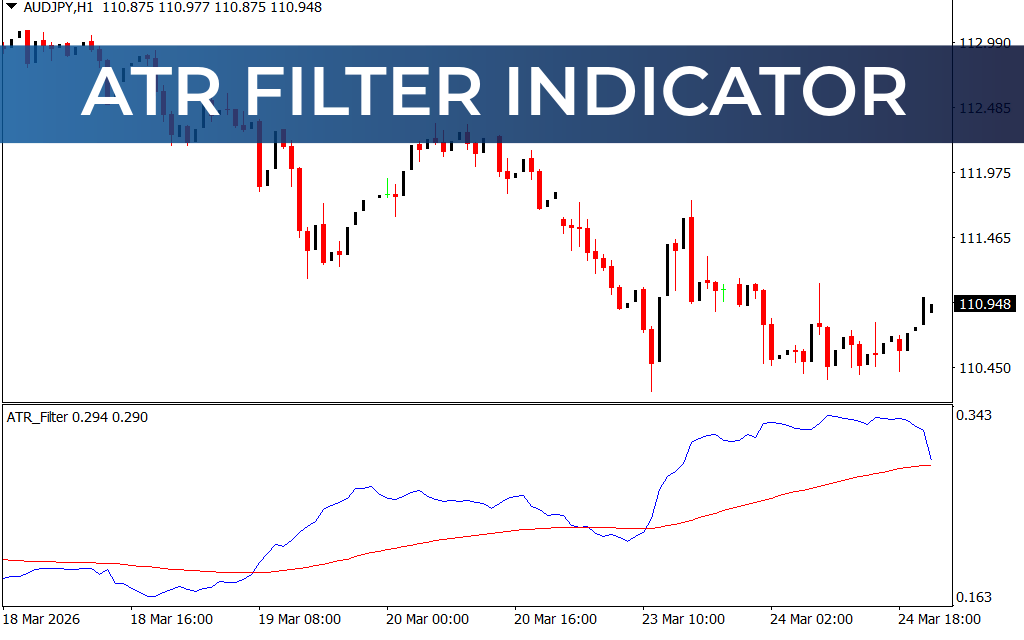
The ATR Filter Indicator for MT4 is an enhanced version of the classic Average True Range (ATR) indicator, designed to provide more reliable buy and sell forex trading signals. By adding a moving average filter to the standard ATR, the indicator helps traders filter out false signals and identify stronger trends.
It is suitable for both new and advanced traders and works on all timeframes, from intraday charts to daily, weekly, and monthly charts.
What is the ATR Filter Indicator?
The ATR Filter Indicator combines:
- ATR (Average True Range): Measures market volatility and price range
- Moving Average Filter: Smooths ATR signals and improves trend accuracy
By analyzing the crossover between the ATR line and the moving average, traders can spot bullish or bearish trends with higher confidence.
Key Features
- Combines ATR with a moving average for signal filtering
- Provides clear buy and sell signals
- Works on all timeframes, from intraday to monthly charts
- Customizable moving average method and period
- Non-repainting after candle close
- Supports both manual and automated trading strategies
- Suitable for beginners and advanced traders
How the Indicator Works
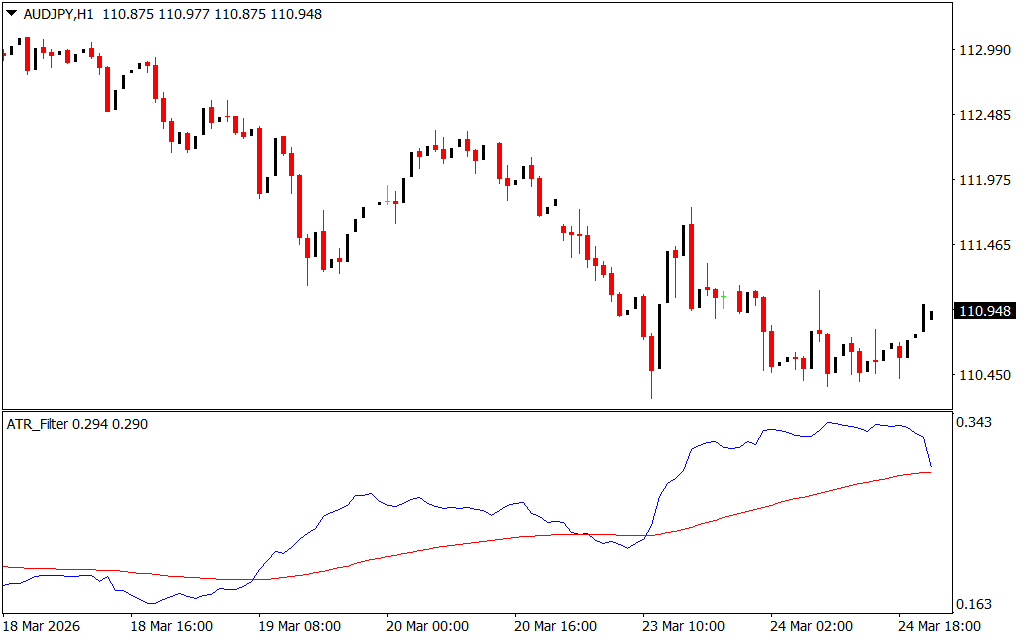
The indicator is plotted in a separate window with:
- Blue Line: ATR
- Red Line: Moving average of ATR
Trading signals are generated based on crossovers:
- Upward Crossover: ATR line crosses above the moving average → Bullish trend
- Downward Crossover: ATR line crosses below the moving average → Bearish trend
Trading Strategy
Buy Signal (Bullish Trend)
A buy trade is suggested when:
- The ATR line crosses above the moving average
How to Trade:
- Enter a buy trade at the crossover
- Place stop loss below the previous swing low
- Book profits when an opposite (downward) crossover occurs
Sell Signal (Bearish Trend)
A sell trade is suggested when:
- The ATR line crosses below the moving average
How to Trade:
- Enter a sell trade at the crossover
- Place stop loss above the previous swing high
- Close trade when an opposite (upward) crossover occurs
Trade Management & Automation
The ATR Filter Indicator can be incorporated into automated trading strategies, as both ATR and moving average values are programmable. This allows traders to:
- Create trend-following systems
- Reduce false entries in volatile markets
- Improve overall risk management
Why Use the ATR Filter Indicator?
This indicator is particularly effective for traders who:
- Base strategies on ATR volatility analysis
- Want to filter out noisy ATR signals
- Trade across multiple timeframes
- Prefer clear, easy-to-interpret signals
It complements other trading tools such as:
- Technical analysis guides
- Backtesting software
- Currency trading strategies
Conclusion
The ATR Filter Indicator for MT4 is an essential tool for forex traders relying on ATR-based strategies. By adding a moving average filter, it enhances signal accuracy, making it easier to identify bullish and bearish trends. Whether used manually or in automated systems, it improves trading consistency and helps traders make more informed decisions.
FAQ
3 Downloads
Published:
Mar 24, 2026 17:24 PM
Category: