The Weighted Average True Range (WATR) indicator is a simple yet powerful technical tool designed for MetaTrader 5 (MT5). It helps traders identify market trends and potential price reversals by improving upon the traditional Average True Range (ATR).
Unlike the standard ATR, the WATR indicator applies a weighting factor that places more emphasis on recent price movements. This makes it more responsive to current market conditions and better suited for active trading strategies.
What Is the WATR Indicator?
The WATR indicator is an enhanced version of ATR that smooths price volatility while reacting faster to recent market changes. It is designed to:
- Identify market trends
- Highlight potential entry and exit points
- Adapt quickly to price behavior shifts
- Work across all forex pairs and timeframes in MT5
Its simplicity makes it especially useful for beginner traders while still being effective for advanced strategies.
How the WATR Indicator Works
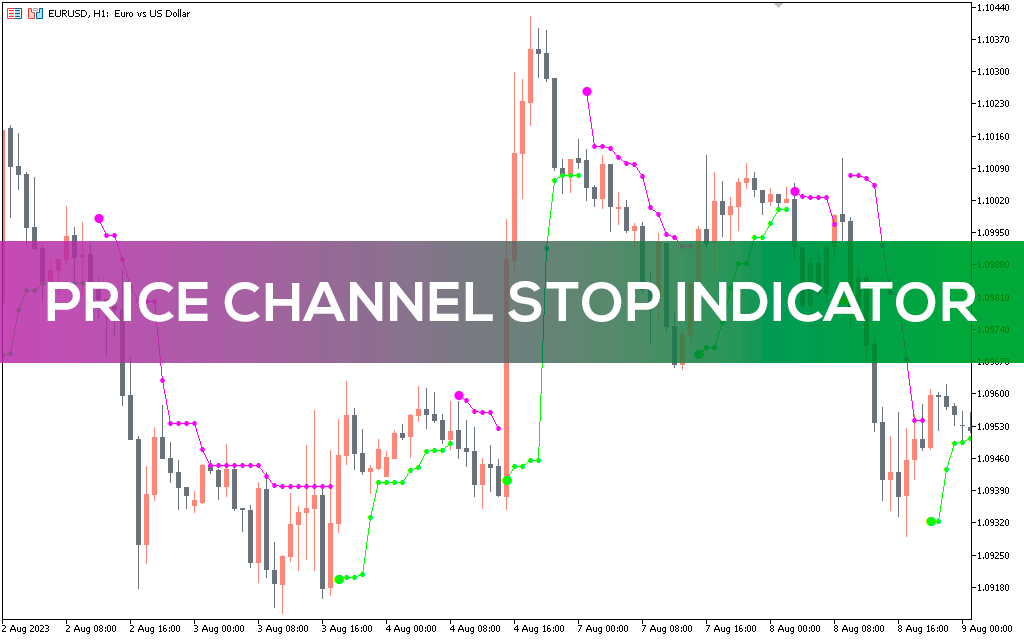
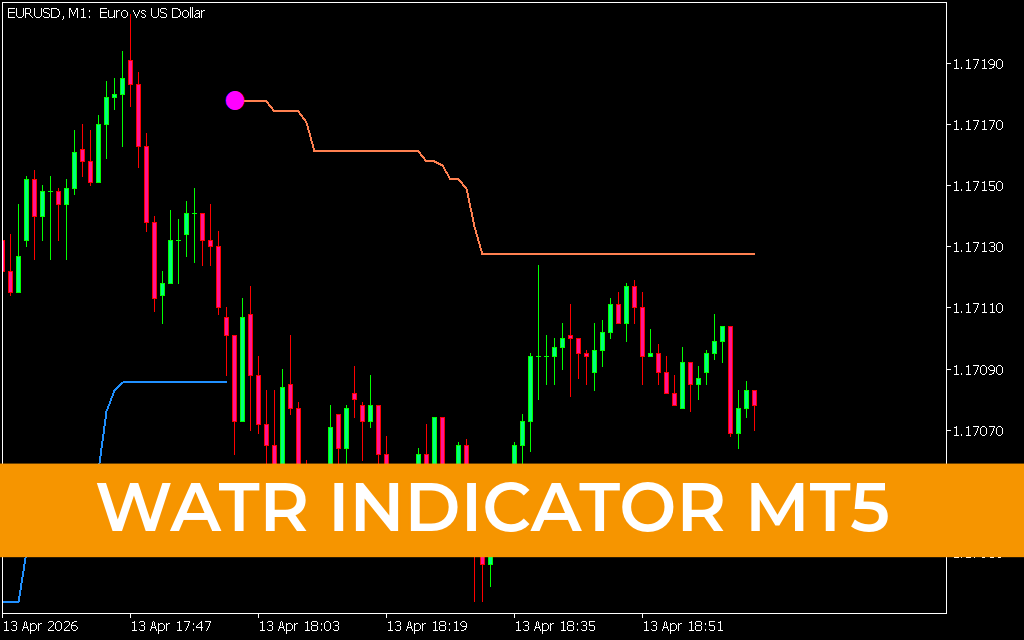
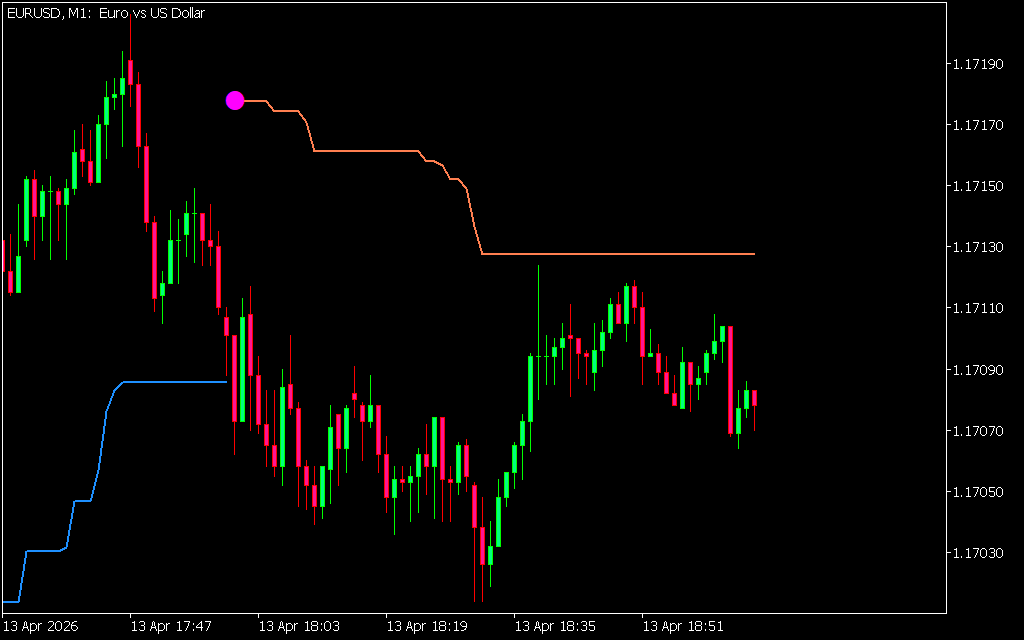
The indicator displays two main visual components on the chart:
- Colored lines (blue and coral) showing trend direction
- Circles (aqua and magenta) marking potential trade entry points
These elements help traders quickly understand market conditions without complex analysis.
Buy Signal (Long Entry)
A buy signal appears when:
- An aqua circle is displayed on the chart
- The indicator shifts from a blue line to a coral line
- The candle closes above the indicator line
How to Trade the Buy Signal
- Wait for the coral line to confirm the trend shift
- Enter a long position after candle close above the line
- Use previous indicator line levels as support
Sell Signal (Short Entry)
A sell signal appears when:
- A magenta/pink circle is shown
- The indicator switches from a coral line to a blue line
- The candle closes below the indicator line
How to Trade the Sell Signal
- Wait for confirmation of the downward trend
- Enter a short position after candle closes below the line
- Use the indicator line as dynamic resistance
Exit Strategy
The WATR indicator also helps determine when to exit trades:
- Exit long trades when a blue line appears above price, signaling reversal
- Exit short trades when a coral line appears below price
- Use indicator lines as a trailing stop-loss tool
A common approach is to target a 3:1 risk-to-reward ratio for improved profitability.
Best Ways to Use WATR Indicator
The WATR indicator works best when combined with other trading tools:
Recommended Usage
- Combine with Price Action analysis
- Use alongside trend-following indicators
- Apply on all timeframes depending on strategy
Key Advantages
- Simple and beginner-friendly
- Fast reaction to market changes
- Works on all forex currency pairs
- Helps identify both trend direction and reversals
Example Chart Behavior
In a bullish trend, the indicator displays a coral line below price, with candles consistently closing above it, confirming upward momentum.
When the trend reverses, the indicator transitions into a blue line, and candles begin closing below it, signaling bearish conditions and potential short opportunities.
Final Thoughts
The WATR indicator for MT5 is a practical and easy-to-use trading tool that helps traders identify trends and reversals with minimal complexity. By combining volatility measurement with weighted smoothing, it provides more responsive signals than traditional ATR-based indicators.
While it works well as a standalone system, it becomes even more effective when used with price action strategies and other technical indicators.
For traders looking for a clean, intuitive trend-following tool, WATR is a strong addition to any trading toolkit.
1 Download
Published:
Apr 13, 2026 12:07 PM
Category: