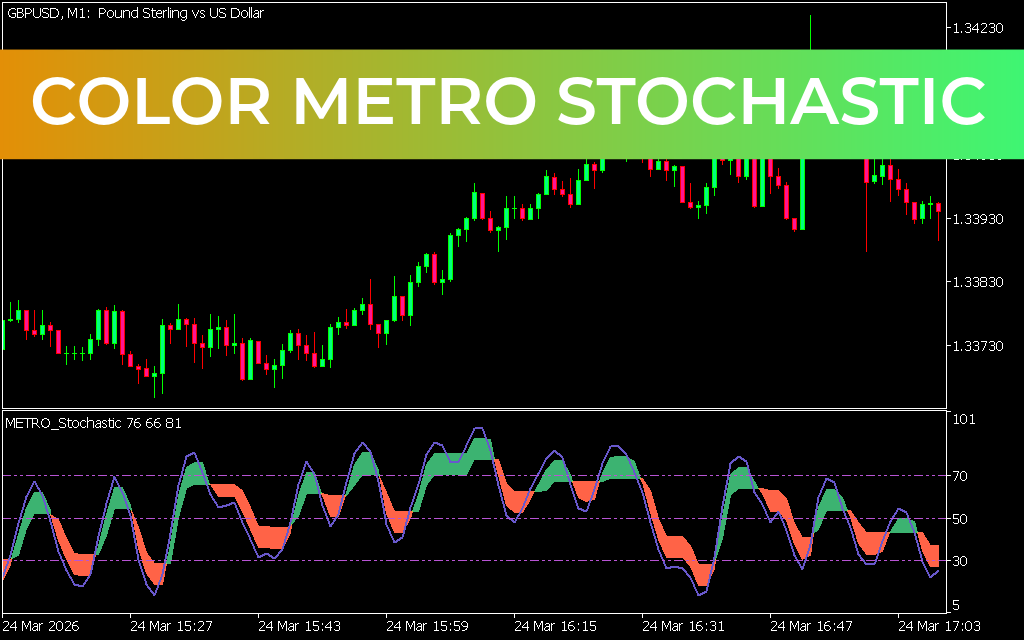
The Color Metro Stochastic Indicator for MT5 is a modified version of the traditional stochastic oscillator. It highlights extreme price zones (overbought and oversold) using color-coded lines, making it easier for traders to identify potential reversal points at a glance. This user-friendly design is especially helpful for beginners who want clear visual cues for trading decisions.
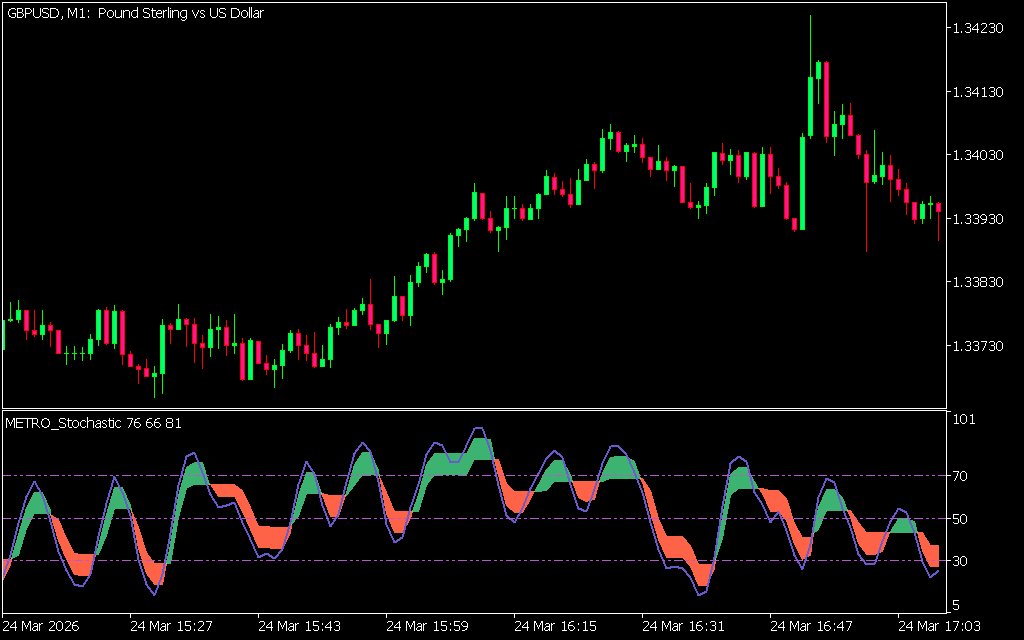
How the Color Metro Stochastic Indicator Works
- Red Line: Indicates the overbought zone, signaling potential sell opportunities.
- Green Line: Indicates the oversold zone, signaling potential buy opportunities.
- Color Coding: Simplifies the process of spotting reversal zones without needing to interpret complex data.
- Trend-Friendly: Works best in trending markets, where reversals are more reliable.
For example, on the AUD/CHF chart, when the market was bullish, the indicator line turned green, and a bullish engulfing candle confirmed a buy entry.
How to Trade with the Color Metro Stochastic Indicator
- Identify Overbought Zones – When the line turns red, prepare for potential sell opportunities.
- Spot Oversold Zones – When the line turns green, anticipate potential buy opportunities.
- Confirm with Price Action – Use candlestick patterns or other indicators to validate signals.
- Combine with Other Tools – Pair with RSI, MACD, or support/resistance levels for stronger confluence.
Benefits
- Easy visualization of overbought and oversold zones.
- Beginner-friendly design with clear color coding.
- Effective for identifying reversal points in trending markets.
- Can be combined with other indicators for improved accuracy.
Conclusion
The Color Metro Stochastic Indicator for MT5 is an enhanced version of the standard stochastic oscillator. By using color-coded signals, it simplifies the identification of extreme price zones and potential reversals. While effective, traders should use it alongside price action or other technical tools to reduce false signals. The indicator is free to download and easy to install.
2 Downloads
Published:
Apr 08, 2026 03:38 AM
Category: