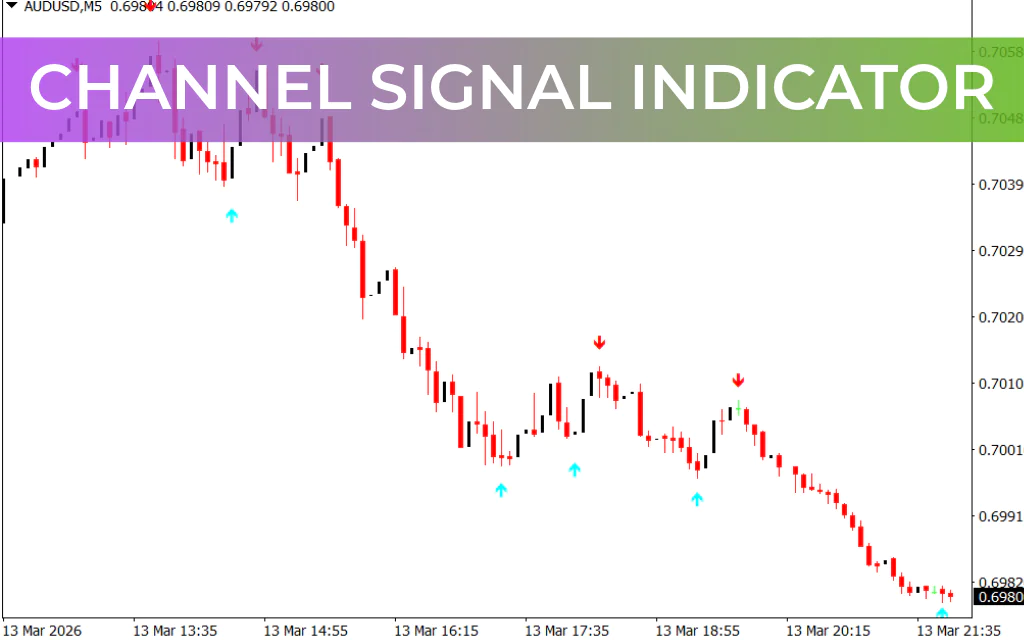
The Channel Signal Indicator for MetaTrader 4 (MT4) is a trend-following tool designed to help traders easily identify market trends, swing highs, and swing lows. Since financial markets move in trends across all timeframes, many forex traders rely on trend-based strategies to capture profitable opportunities.
However, many trading systems and indicators can be complex, especially for beginners. The Channel Signal Indicator simplifies trend analysis by visually marking potential buy and sell signals with arrows, allowing traders to quickly identify when a trend may start or end.
Because of its simplicity and effectiveness, the indicator is suitable for scalpers, intraday traders, swing traders, and position traders.
How the Channel Signal Indicator Works
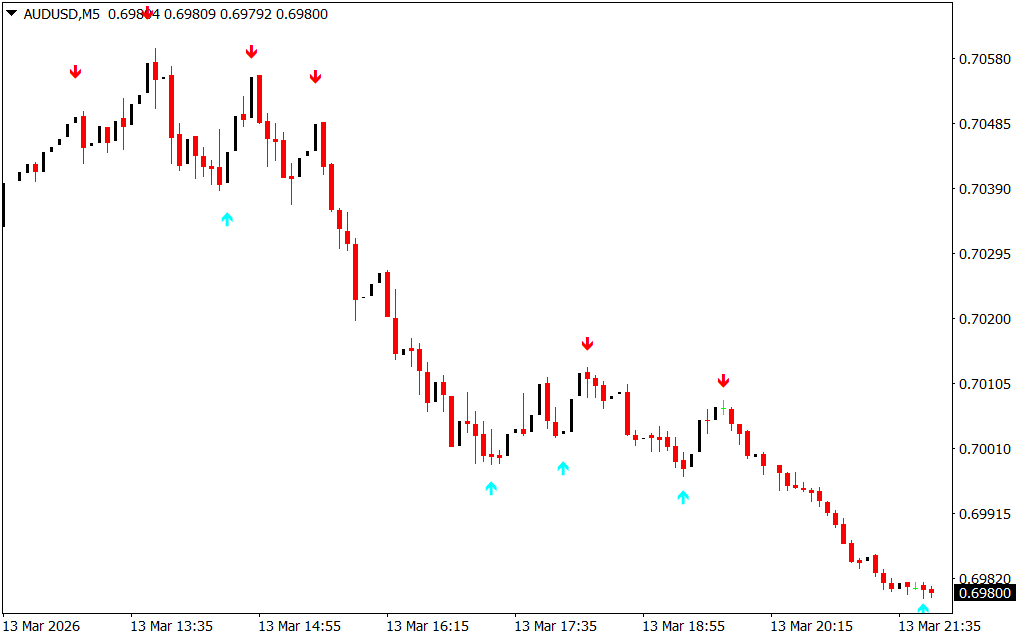
The Channel Signal Indicator identifies market trends by tracking swing highs and swing lows and displaying arrows directly on the chart.
- Red Arrows: Indicate the beginning of a downtrend and signal potential sell opportunities.
- Aqua Arrows: Indicate the start of an uptrend and signal potential buy opportunities.
These visual signals help traders determine whether the market is transitioning from bullish to bearish or bearish to bullish conditions.
The indicator works effectively across all timeframes, from M5 (5-minute charts) to monthly charts, making it a flexible tool for various trading styles.
Key Features
- Identifies trend direction using swing highs and lows
- Displays clear buy and sell arrows
- Works on all timeframes
- Suitable for Scalping, day trading, and swing trading
- Helps detect dynamic Support And Resistance zones
Using the Channel Signal Indicator in Trading
The Channel Signal Indicator can be used as a standalone trading tool, but it performs best when combined with price action analysis and Market Structure.
Sell Trade Setup
- Identify a red arrow from the indicator.
- Confirm that the market is in a downtrend or rejecting a resistance level.
- Enter a sell trade after the confirmation candle closes.
- Place the stop-loss above the recent swing high or resistance level.
- Exit the trade when the indicator prints an aqua arrow, signaling a possible Trend Reversal.
Buy Trade Setup
- Look for an aqua arrow indicating the start of an uptrend.
- Confirm the signal with Price Action patterns, such as a bullish engulfing candle.
- Enter a buy trade after the confirmation candle closes.
- Place the stop-loss below the recent swing low or support level.
- Close the trade when a red arrow appears, indicating potential bearish momentum.
Best Trading Conditions
The Channel Signal Indicator performs well in multiple market environments:
- Trending markets: Helps identify trend continuation and reversal points.
- Range markets: Helps locate support and resistance zones within the channel.
- Breakout conditions: Signals potential new trends when price breaks key channel levels.
Conclusion
The Channel Signal Indicator for MT4 is a powerful yet simple tool that helps traders identify market channels, trend direction, and optimal entry and exit points. With its clear arrow signals and ability to highlight swing highs and lows, traders can quickly determine market momentum.
While the indicator can be used independently, combining it with price action analysis and market structure significantly improves trading accuracy and helps traders make better decisions in the forex market.
FAQ
19 Downloads
Published:
Mar 14, 2026 19:04 PM
Category: