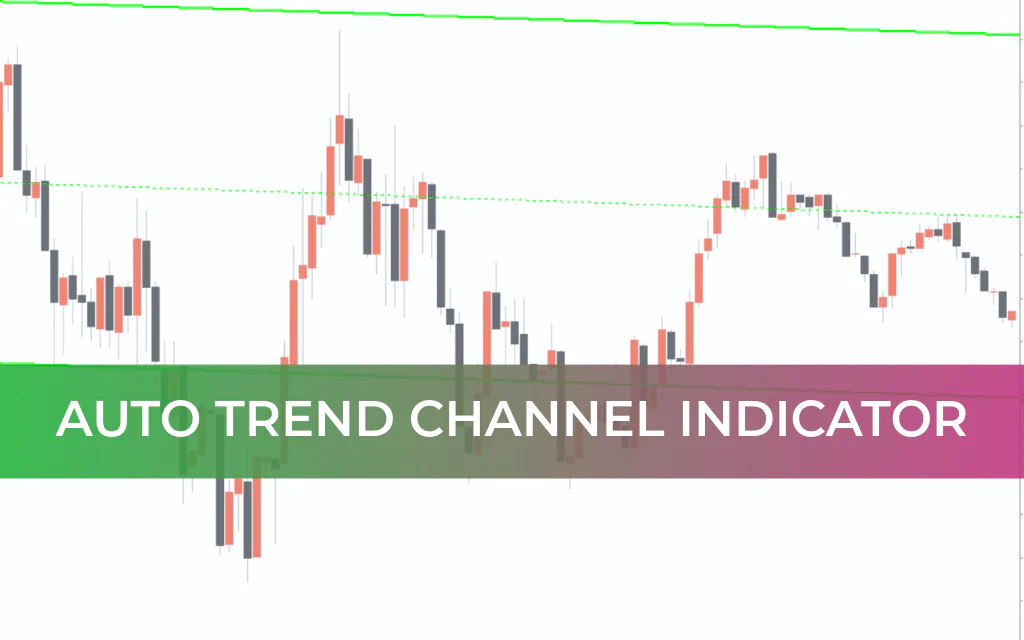
The Auto Trend Channel Indicator for MetaTrader 4 automatically draws price channels on your chart, making trend analysis faster and more efficient. By eliminating the need to manually draw trend lines, this indicator saves valuable time while improving trading accuracy.
The plotted channel boundaries act as dynamic Support And Resistance levels, helping traders analyze price behavior in both short-term and long-term trends.
How the Auto Trend Channel Indicator Works
Once installed, the indicator automatically detects price swings and plots a structured trend channel directly on the chart.
Key Features
Automatic channel plotting
Dynamic support and resistance boundaries
Adjustable visual settings (color, thickness, style)
Suitable for pending order placement
Works across all timeframes
The channel lines serve two important roles:
Defining the trend direction
Acting as potential entry, exit, and breakout levels
The thickness and appearance of the lines can be customized according to personal preferences.
Understanding Breakouts: True vs False
Price can interact with a trend channel in multiple ways. Recognizing the difference between a true breakout and a false breakout is crucial.
True Breakout
Price moves inside the channel for a period
Breaks above resistance (bullish) or below support (bearish)
The broken resistance becomes new support (or vice versa)
Price does not return inside the channel
In this case, traders should wait for a new channel formation or continuation setup.
False Breakout
Price briefly breaks the channel
One or more candles form outside the boundary
Price quickly returns inside the channel
Since clear channel boundaries are not always respected, traders should confirm breakouts using additional technical tools such as momentum indicators or Price Action confirmation.
Auto Trend Channel Trading Strategy
Buy Setup
Wait for a clear breakout above the upper channel boundary
Confirm with a strong bullish candle close
Place Stop Loss a few pips below the former upper boundary
Set Take Profit near the next horizontal resistance level
Sell Setup
Wait for a clear breakout below the lower channel boundary
Confirm with a strong bearish candle close
Place Stop Loss a few pips above the former lower boundary
Set Take Profit near the next horizontal support level
Why Traders Use Auto Trend Channel
Eliminates manual channel drawing
Saves time in technical analysis
Helps identify breakout opportunities
Suitable for pending order strategies
Works for Scalping, intraday, and swing trading
Customizable visual settings
The indicator can serve as the foundation of a structured trend-following or breakout trading system.
Final Verdict
The Auto Trend Channel Indicator for MT4 is a practical and efficient tool for traders who rely on channel-based analysis. By automatically plotting price channels, it simplifies trend visualization and highlights potential breakout opportunities.
However, as with any technical tool, traders should test their strategy on historical data and a demo account before trading live. Combining the indicator with proper confirmation signals and risk management can significantly improve performance.
FAQ
4 Downloads
Published:
Feb 20, 2026 01:13 AM
Category: